


LangLearn: Language learning
4.5126.00 Reviews
App Specs
- Version
- 1.3.1
- Updated On
- License
- Free
- Downloads
- 100,000+
- Developer
- mqcoder
- Categories
- Education
- Platform
- Android
Screenshots
 Analysis by AppCompare
I usually judge a language-learning app by what happens after the first enthusiastic session: can I work out what to do next, and does it fit into an ordinary day? LangLearn is an education app from mqcoder, and its AI-focused approach gives it an appealing starting point for people who want guided practice rather than a stack of disconnected study materials. I’d treat it as a possible study companion, though, not an instant route to fluency; regular effort and practice beyond an app still matter.
Where a new learner can get stuck
The first hurdle with any learning app is choosing a sensible goal. If you open LangLearn expecting to know immediately which language, level, or lesson to pick, pause and decide what you actually need: travel basics, a way to keep up with a class, or broader conversational practice. A clear purpose makes it easier to tell whether the material is useful instead of tapping through lessons without a plan.
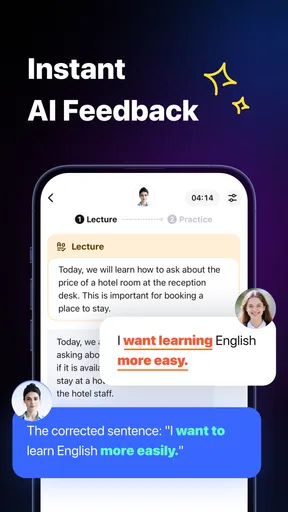
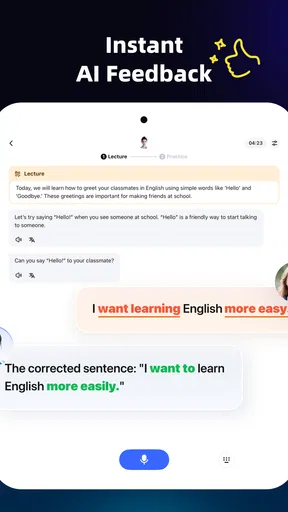
AI can make practice feel more responsive, but it can also set an expectation that the app will understand every mistake or explain every grammar point exactly as a teacher would. I’d use its guidance as a prompt to keep practicing, then verify confusing details with a trusted dictionary, textbook, or instructor. That combination is especially useful when a correction feels surprising: note the sentence, look at the underlying rule, and try making another example yourself.
Another common point of friction is confusing familiarity with recall. A word may look obvious when it appears on screen but disappear when you need it in a conversation. I find it more useful to pause before revealing an answer and try to produce the word from memory. That small change turns a quick browse into a more meaningful exercise, without requiring a complicated study system.
Getting started and recovering a study routine
Before beginning, check that your device meets the app’s minimum operating-system requirement of version 9, and make sure you can access the account or settings you intend to use. LangLearn is free to download, but it includes in-app purchases ranging from $6.99 to $59.99 per item, so I’d review any purchase screen carefully before confirming anything. Its age rating is Everyone, and the current version is 1.3.1.
Setup checks that prevent avoidable frustration
I’d start with one language and a modest routine rather than trying to study several at once. Pick a time you can repeat—perhaps a quiet break or the first few minutes after dinner—and decide in advance what counts as a useful session. A short lesson followed by recalling a handful of new expressions is a more realistic starting point than planning an hour you may not have time to finish.
If a lesson does not behave as expected, first check the ordinary things: whether the app is up to date, whether the device is responding normally, and whether you can move through other screens. Close and reopen the app if it seems stuck, then retry the same step. This is a sensible first pass for a temporary app or device hiccup; it doesn’t assume that a particular setting or feature is causing the problem.
Worth Reading Before You Choose

EA SPORTS FC Mobile 26 Is a Bigger Football Game, but It Takes Time

Flipboard Shows What News Apps Must Do Beyond the Feed

Switching to Android Auto Means Rethinking Your Driving Routine

Google Calendar Makes a Crowded Week Easier to Manage

Ludo King Makes the Most of the Minutes Between Plans

Baby Panda World Brings Quick Play to Modern Phones, but Its Game Library Feels Busy
Also give yourself a way to notice progress that does not depend on a single session feeling impressive. After studying, write down a few phrases you can recall without looking. Revisit them later in the week and see what remains. This makes progress concrete while avoiding the trap of treating time spent in an app as the same thing as language learned.
Workflow recovery when momentum slips
When I miss a day, I don’t try to compensate by cramming several lessons into the next one. I return with a quick review of what I last studied, then continue at a manageable pace. A missed session is a scheduling problem, not proof that a learning plan has failed. Keeping the restart small makes it easier to come back without turning study into a chore.
If you lose track of a phrase, don’t just repeat the entire lesson automatically. Identify what failed: did you forget the meaning, mix up two similar words, or understand it only when reading? Then make a short example sentence or say the phrase aloud. That targeted retry is more useful than treating every mistake as a reason to start over.
For a realistic everyday routine, imagine preparing for a trip during a lunch break. I’d study a few practical expressions, test myself without looking, and jot down one question about pronunciation or usage to check later. On the journey home, I could revisit the phrases mentally rather than opening another lesson. This kind of small, repeatable loop gives app practice a purpose outside the screen.
When the app may not be the cause
Not every disappointing session means the app is malfunctioning. If a dialogue or exercise feels difficult, the material may simply be beyond your current comfort level, or you may be tired and trying to study in a noisy setting. I’d first slow down, retry when focused, and separate a technical problem—such as a screen that will not respond—from a learning problem, such as not understanding a sentence.
Likewise, a language app cannot replace every kind of feedback. If you need a teacher to diagnose recurring grammar errors, a conversation partner to challenge you in real time, or structured preparation for a formal exam, a class or specialist resource may be a better main tool. LangLearn can still sit alongside those options, but I would not rely on an AI-led routine alone for needs that require expert assessment or sustained live conversation.
Who is likely to benefit, and who should look elsewhere?
I’d consider this app if I wanted a guided way to add language practice to small gaps in the day and was comfortable learning with digital exercises. It may also suit someone who already studies elsewhere and wants another way to keep engaging with the language. A beginner can benefit from having a clear place to start, while a more experienced learner may use it as supplementary practice rather than a complete curriculum.
I’d look elsewhere if I needed a course with a clearly documented syllabus, extensive teacher feedback, or a dependable live-speaking schedule. Those are different priorities from convenient app-based practice. Before investing time or money, I’d try the free app, see whether its approach matches my learning style, and consider any paid item only after checking what it offers and whether I would use it consistently.
Compared with the usual alternatives, LangLearn’s AI angle is most appealing when I want guided practice that feels less like consulting a static reference. A conventional textbook is often better for a carefully sequenced explanation of grammar; flashcards are efficient for drilling a personally chosen word list; and a tutor or language exchange is stronger for spontaneous conversation and nuanced correction. I’d use the app where it helps me practice, not force it to replace tools that do another job better.
Making practice more useful than screen time
One practical tip is to keep a small “uncertain phrases” note outside the lesson flow. When something is unclear, record the phrase and the question you have about it—meaning, word order, or when it sounds natural. Later, check the specific point rather than rereading everything. This prevents a vague sense of confusion from following you into the next session.
A second useful trade-off is to alternate recognition and production. Reading or selecting an answer can build familiarity, but trying to recall a phrase from memory exposes gaps sooner. I’d finish a session by covering the translation and attempting to say or write the expression myself. If I cannot, that is a better signal to review than simply seeing the correct answer again.
Finally, keep app practice tied to something real. If you are learning for travel, collect phrases around one likely situation, such as ordering food or asking for directions, and practice them together. If you are learning for personal interest, choose a topic you genuinely enjoy. A narrow, relevant goal can make a short session more memorable than a broad promise to “get fluent.”
What to expect from the app over time
LangLearn has an average rating of 4.5 from around 2.6 thousand ratings, with about 121 written reviews and over 100 thousand installs. Those figures suggest that many people have tried it, but they cannot tell me whether its teaching style will suit my goals. I’d put more weight on whether I can follow the lessons, understand the feedback, and return to practice after the novelty wears off.
The app was released on August 13, 2025, so I would keep expectations practical when judging how established its learning approach feels. That is not a reason to dismiss it; it is a reason to test the parts that matter to you. Spend enough time to see whether the language you want to learn and the kind of practice you need are a good match before building your routine around it.
First Impressions and User Interface
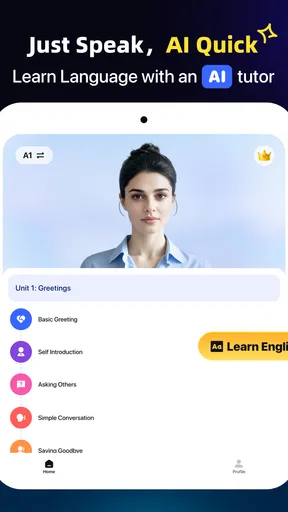
From the moment I opened LangLearn, I was greeted by a sleek and visually pleasing interface. The app is designed to be intuitive, so even if you’re new to language learning apps, you’ll find your way around easily. The colors are vibrant but not overwhelming, which makes using the app for extended periods a breeze.
The navigation is straightforward. On the bottom of the screen, you’ll find tabs for your lessons, progress, and settings, making it easy to switch between different sections without feeling lost. I particularly appreciated the customization options available under settings, allowing you to tailor the learning experience to your preferences.
Features That Stand Out
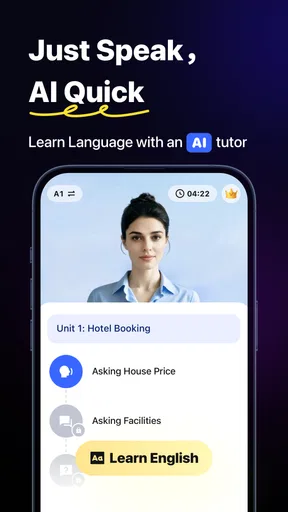
One of the standout features of LangLearn is its personalized learning paths. The app uses AI to assess your current level and adapts as you progress, ensuring that you’re always challenged but never overwhelmed. This means you’re not stuck in a one-size-fits-all program but can enjoy a learning journey that evolves with you.
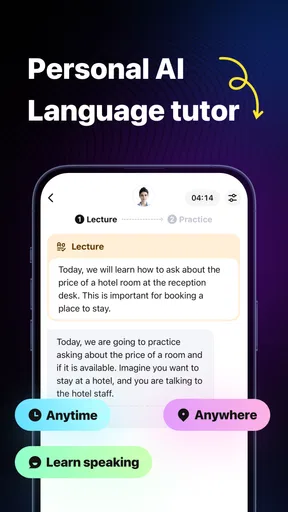
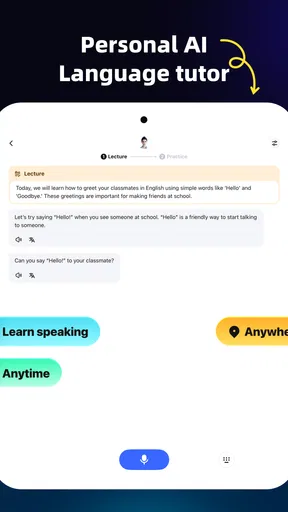
Another cool feature is the interactive dialogues. These are designed to mimic real-life conversations, helping you practice not just vocabulary and grammar but also listening and speaking skills. It’s like having a personal tutor available at your fingertips.
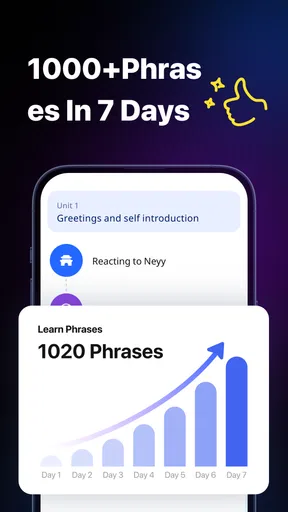
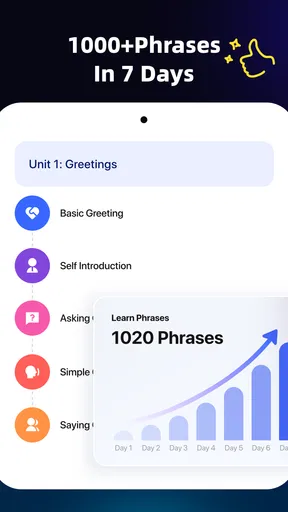
For those who like to track their progress, the app provides detailed analytics. You can see how much time you’ve spent learning, which areas you excel in, and where you might need a bit more practice. This feature is perfect for keeping you motivated and on track to achieve your language goals.
Content and Variety
The content range in LangLearn is impressive. With over 30 languages to choose from, there’s something for everyone. Whether you’re picking up Spanish for that upcoming trip to Barcelona or diving into Japanese for a new career opportunity, the app has got you covered.
Each language course is packed with a variety of learning materials, from vocabulary flashcards to grammar exercises and cultural insights. I especially enjoyed the cultural snippets sprinkled throughout the lessons. They offer a deeper understanding of the language in context, which is often missing from traditional learning methods.
Community and Support
Learning a language is more fun when you’re not doing it alone, and LangLearn provides a vibrant community of learners. You can join discussion forums, participate in live events, and even find a language partner to practice with. It’s a fantastic way to stay engaged and make friends from around the world.
If you ever run into issues, the app’s support team is just a click away. Their response time is quick, and they’re genuinely helpful, which is reassuring when you’re trying to solve a technical issue or need advice on your learning path.
Final Thoughts
Overall, LangLearn is a robust and engaging app that makes language learning accessible and enjoyable. Its personalized approach, combined with a wide array of features, makes it a top contender for anyone serious about picking up a new language.
Whether you’re a beginner or looking to polish your skills, this app provides the tools you need to succeed. So, why not give it a shot? You might just find yourself speaking a new language in no time!
Pros
- User-friendly interface enhances learning.
- Wide variety of languages available.
- Interactive exercises keep users engaged.
- Personalized learning paths for each user.
- Offline mode supports learning anywhere.
Cons
- Limited free content without subscription.
- Some exercises can be repetitive.
- Occasional app crashes reported by users.
- Voice recognition needs improvement.
- High subscription cost for premium features.
FAQs for LangLearn: Language learning
What languages can I learn with LangLearn?
LangLearn offers a wide range of languages to choose from, including popular options like Spanish, French, German, Mandarin, and Japanese. Additionally, it provides access to less common languages such as Swahili, Finnish, and Thai. The app frequently updates its roster to include new languages based on user demand.
Is LangLearn suitable for all proficiency levels?
Yes, LangLearn caters to all proficiency levels, from absolute beginners to advanced learners. The app uses adaptive learning technology to tailor lessons according to your skill level and progress. It offers structured courses, practice exercises, and real-life conversation practice to help you improve gradually.
Does LangLearn require an internet connection?
While LangLearn offers some features offline, such as downloaded lessons and vocabulary lists, an internet connection is required for accessing live conversation practice and updates. To get the full experience, including interactive exercises and community features, a stable internet connection is recommended.
Are there any subscription costs associated with LangLearn?
LangLearn offers a basic version for free, which includes limited access to language courses and features. For full access, including advanced lessons, live tutoring, and ad-free learning, a subscription is required. There are monthly, quarterly, and annual plans available to suit different budgets and learning commitments.
How does LangLearn support language practice?
LangLearn supports language practice through interactive exercises, speaking drills, and live conversation sessions with native speakers. The app also features a community forum where learners can engage with peers, exchange language tips, and participate in challenges to enhance their language skills.


